Send your website's purchase data straight to Facebook from the server, so Facebook still counts the purchases that browser tracking misses.
Before you start
You must connect Facebook Pixel first. See How to set Facebook pixel.
Why connect it
Facebook Pixel tracks visitors from inside the browser. Privacy settings on iPhones and in browsers block some of that tracking, so some purchases never reach Facebook. Facebook then sees fewer purchases than you really had, and your campaign looks weaker than it is.
The Conversion API sends the data from the server instead. Facebook sees every purchase, targets people who look like your real buyers, and your ad spend works harder. Learn more about the Conversion API.
On Zyda you do not need a developer or any server setup. You paste the details Facebook gives you and click Connect.
Steps
-
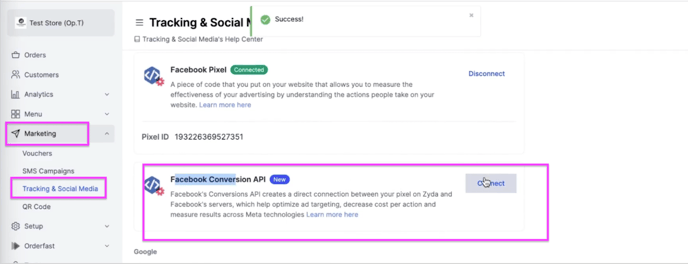
Go to Marketing.
-
Go to Tracking & Social Media.
-
Next to Facebook conversion API, click Connect.
-
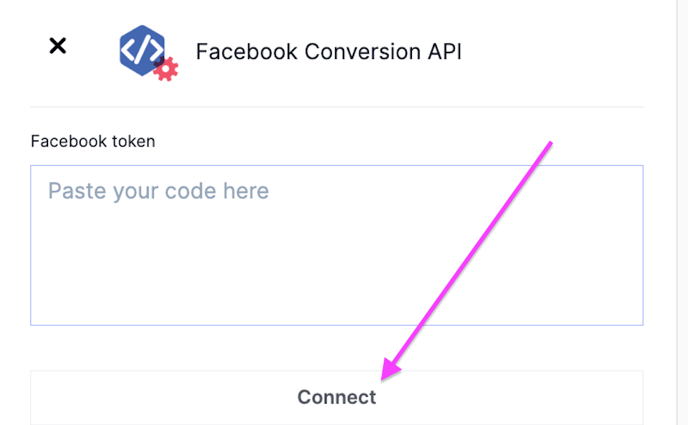
Paste your Facebook token code.
Get your Facebook token code
-
Go to business.facebook.com.
-
Click All Tools.
-
Scroll down and click Events Manager.
-
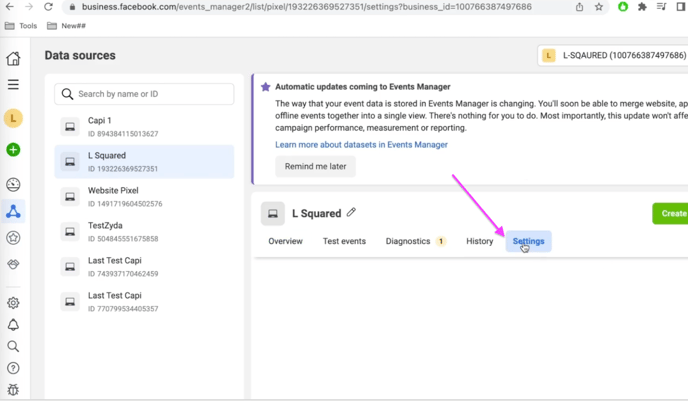
On the left, click Data Sources.
-
Click Settings.
-
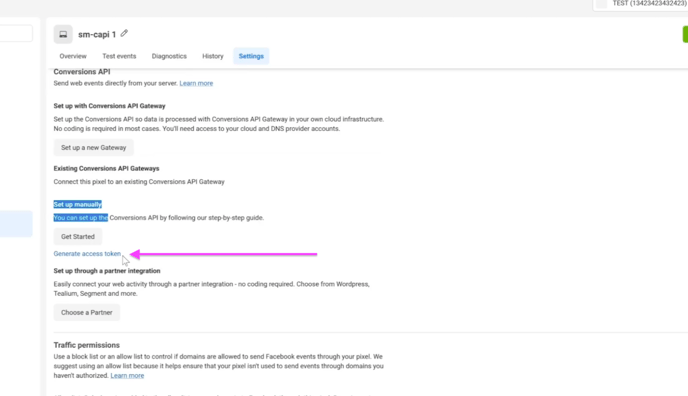
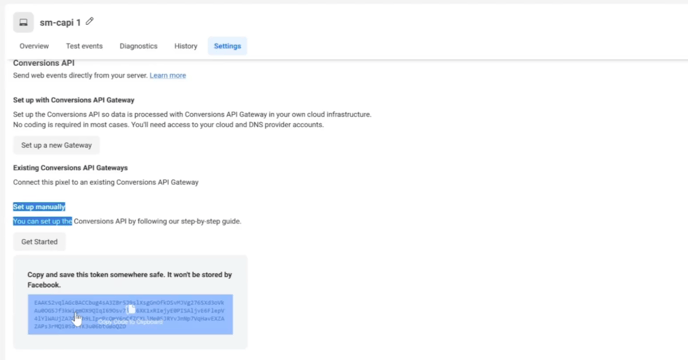
Click Generate access token.
-
Copy the generated code.
-
Paste the code into your Zyda dashboard and click Connect.