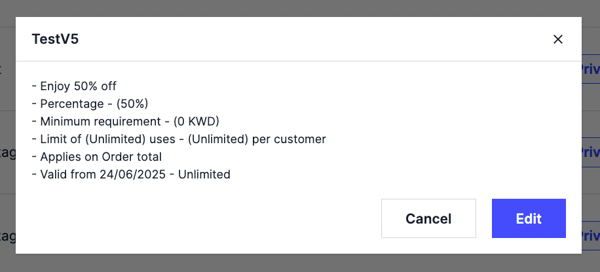
View the details of any voucher you have created. Owners and managers can do this.
Steps
-
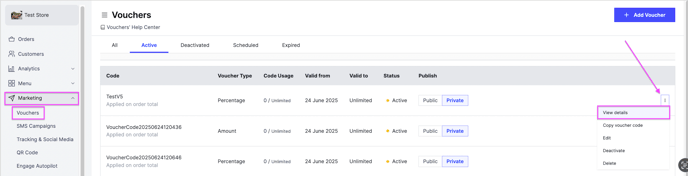
Go to Marketing and then Vouchers.
-
Click the options icon of the voucher you want to view.
-
Click View details.
View the details of any voucher you have created. Owners and managers can do this.
Go to Marketing and then Vouchers.
Click the options icon of the voucher you want to view.
Click View details.