Manage your own drivers, assign orders to them, and track delivery progress and performance.
Before you start
- You can only assign delivery with Verd Dispatch for orders that are paid online.
- Verd Dispatch does not work for orders paid in cash or by wallet.
- Verd Dispatch does work for cash orders if your store is integrated with MyFatoorah as a payment gateway.
What Verd Dispatch does
Holds your drivers
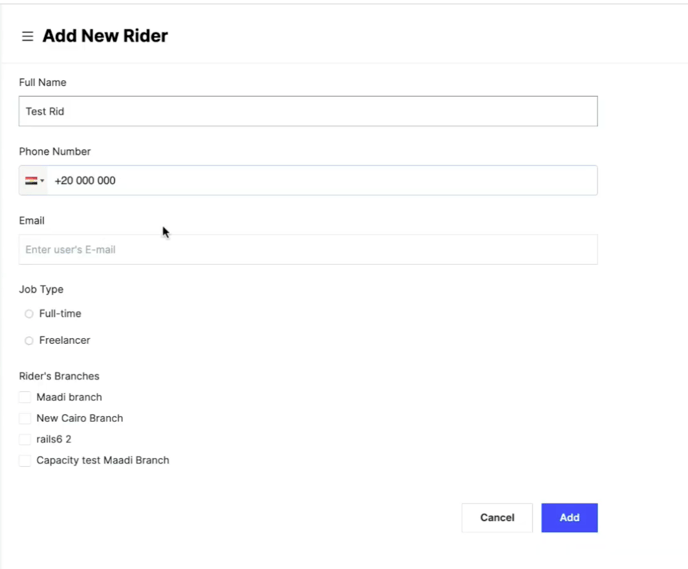
Add your store's drivers to the system and see their full information, including how many orders each driver has been assigned. Read Add a new rider.
Sends order details to the driver
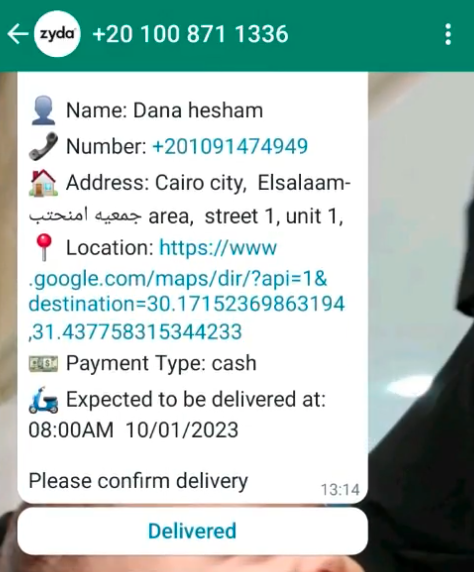
Once you assign an order to a driver, the system sends the customer's details to that driver over WhatsApp: name, phone number, address, location and payment method. Read How the driver receives the orders.
Lets drivers update the order status
Once an order is assigned, drivers update its status through WhatsApp and the change shows on the dashboard. They can mark that they accepted the assignment, picked the order up from the store, are on the way to the customer, and completed the delivery.
Collects delivery ratings
Once enabled, the system sends customers a WhatsApp message asking them to rate the delivery service. Read Verd delivery ratings.
Steps
-
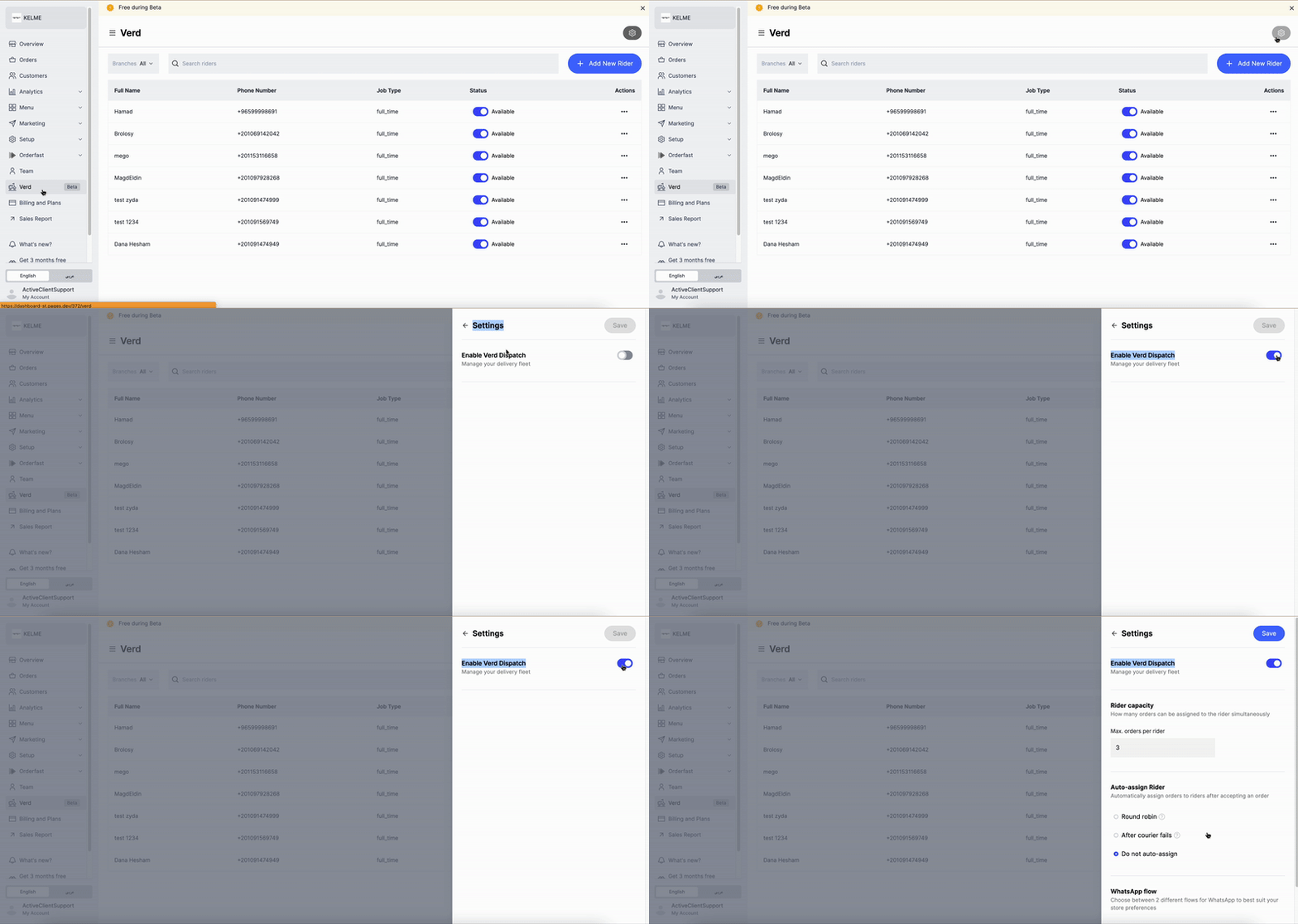
Go to Verd on Zyda's dashboard.
-
Select Dispatch.
-
Click Settings at the top right of the dashboard.
-
Turn on Enable Verd Dispatch.
-
Set Auto-assign Rider and WhatsApp flow if you want to. Read Control Verd Dispatch settings.
Assign an order to a driver
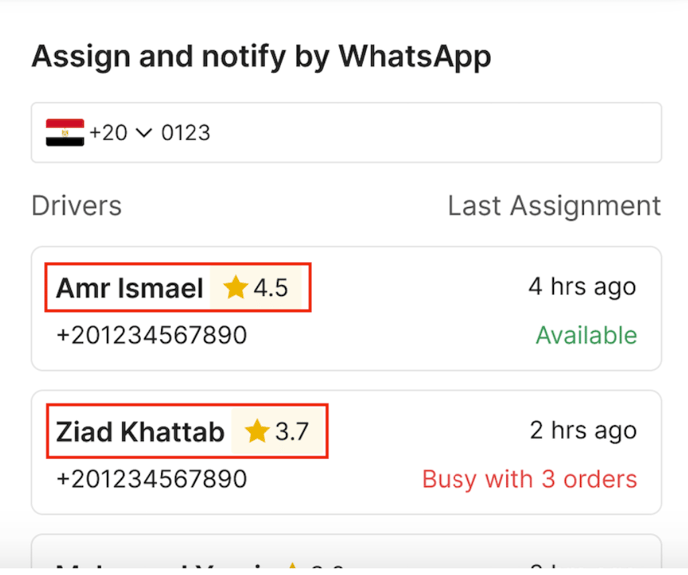
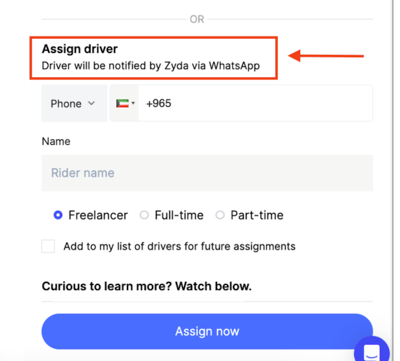
Once you accept the order, the Assign Delivery button appears. Scroll down to Assign Driver and select the driver you want to assign the order to.
Charges
Verd Dispatch fees depend on your store's plan and country. Kuwait stores pay 75 fils per order on Growth plans and 100 fils per order on Standard plans. Egypt stores pay 5 EGP per order on Growth plans and 2 EGP per order on Standard plans.
Fees are deducted on assignment. You are charged once you assign the order to one of your drivers, and the fee is shown at the bottom under Assign Now.
Fees are taken out of the total amount of the paid order. They are not added to it.