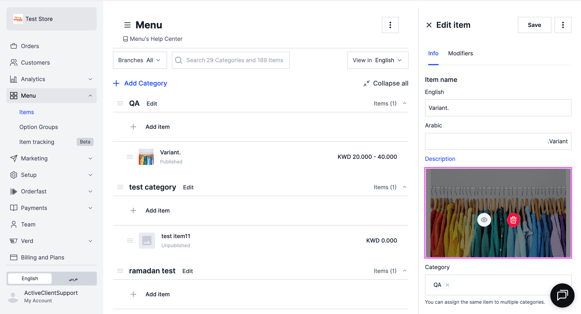
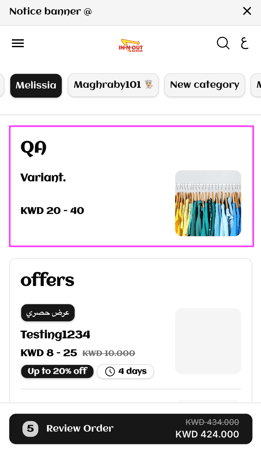
Add photos to a menu item and to each of its variants. Owners and managers can do this.
If your store is integrated with Foodics, make menu changes in Foodics instead. Item names, prices, option groups and modifiers edited in Zyda will not reach your store.
Before you start
- The image must be 800 by 800 pixels.
- The file must be under 5 MB.
- The file must be a JPG.
Steps
-
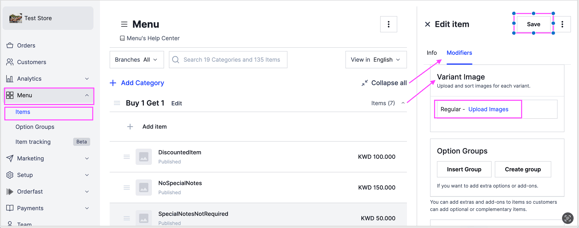
Go to Menu and select Items.
-
Select the item you want to update.
-
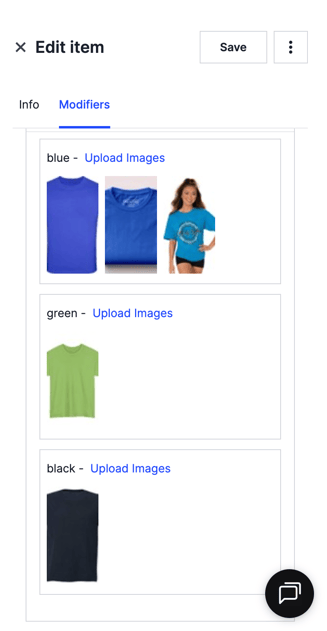
In the Modifiers section, go to Variant Image.
-
Click Upload Images and select the image from your device.
-
Click Save.
Images per variant
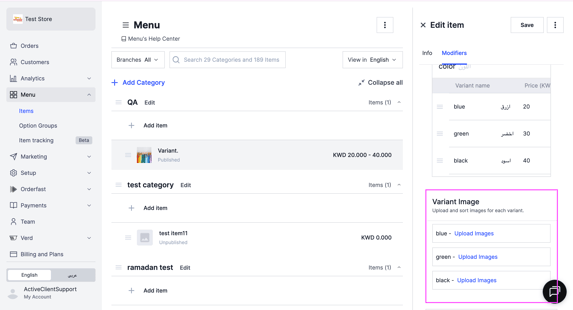
You can add an image for each variant, and more than one image per variant.
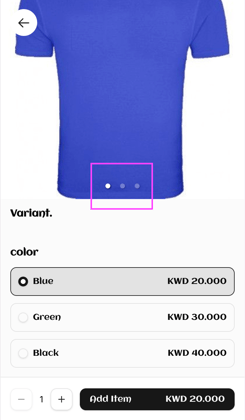
Once you save, the images appear on your website.
Cover image
You can also set a cover image for the item. It is the main image for the item on the website. When a customer clicks the item, all the variant images are shown.