Control the order your categories and items appear in on your website. Owners and managers can do this.
Steps
-
Go to Menu and select Items.
-
Click Collapse All to show only categories and hide items, which makes sorting easier.
-
Drag the category by the three-line icon to where you want it.
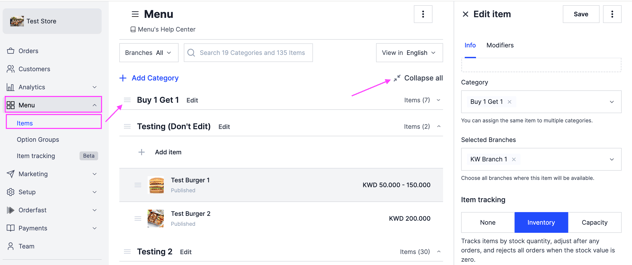
Sort items the same way.