Connect your TikTok Pixel to your store. Owners and managers can do this.
The TikTok Pixel is a small piece of code on your website. It tracks what visitors do, such as adding a product to the cart or placing an order. That data makes your TikTok ad campaigns more accurate, so you can target the right audience.
Before you start
- You need a TikTok Business account. You can create one at ads.tiktok.com.
- You need a TikTok Pixel, created from the Events tab.
- Your store must be on the Growth plan.
Steps
-
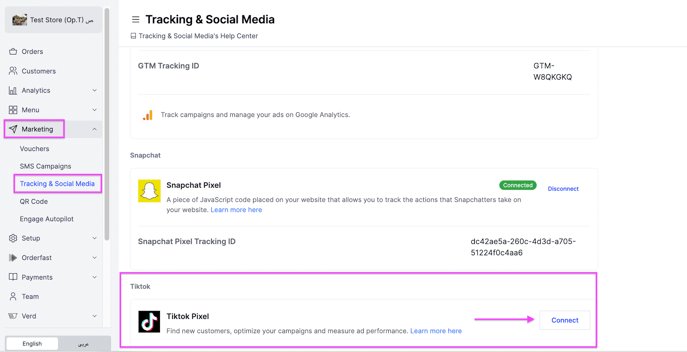
Go to Marketing.
-
Select Tracking & Social Media.
-
Scroll down and click Connect next to TikTok Pixel.
-
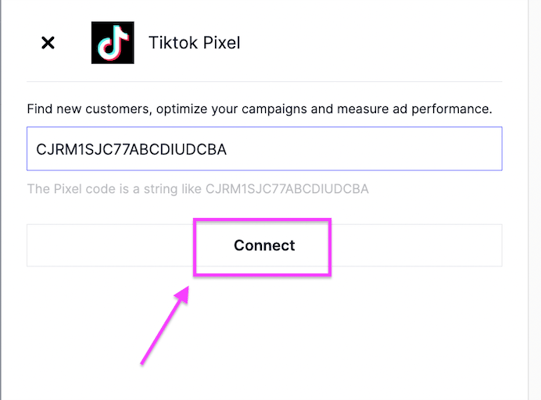
Enter or paste the Pixel ID.
-
Click Connect.
Get your pixel ID from TikTok
-
Go to ads.tiktok.com and select your TikTok Ads account, or create one if you do not have an account.
-
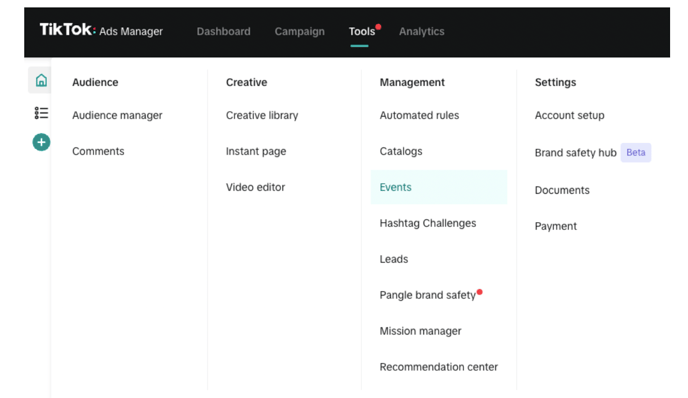
Click Tools, then Events.
-
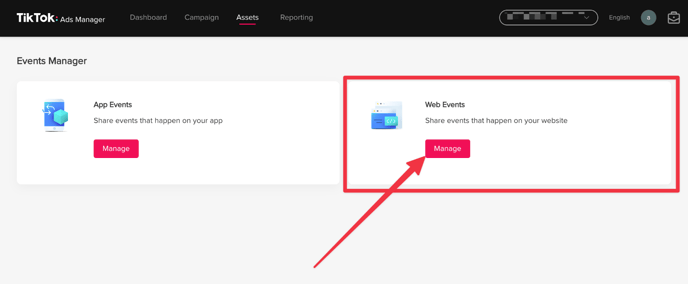
Click Assets, then Web Events, then Manage.
-
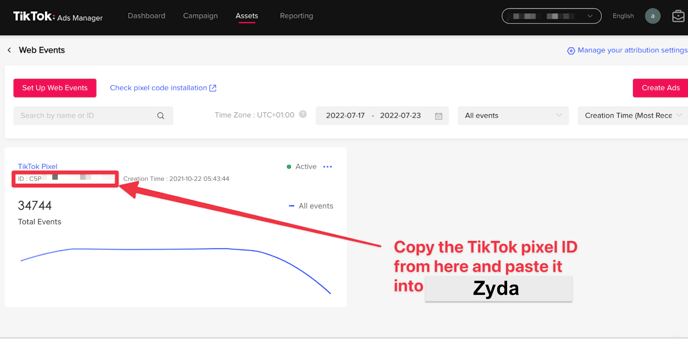
Copy the pixel code and paste it on your dashboard to connect.
Create a new pixel
-
Go to ads.tiktok.com and create an account.
-
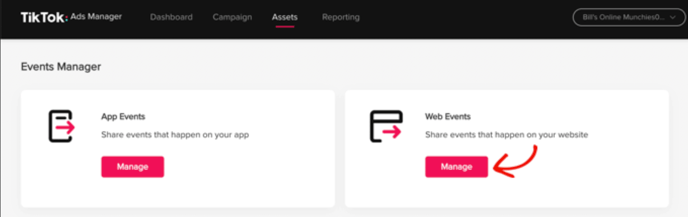
Sign in, then click Assets, then Events, then Web Events, then Manage.
-
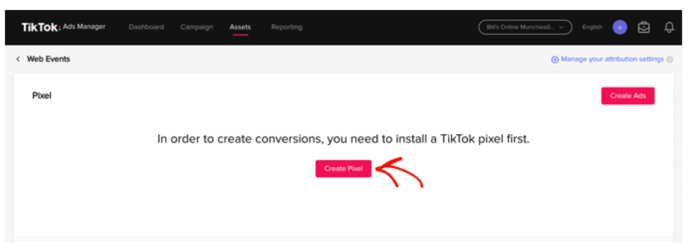
Click Create Pixel.
-
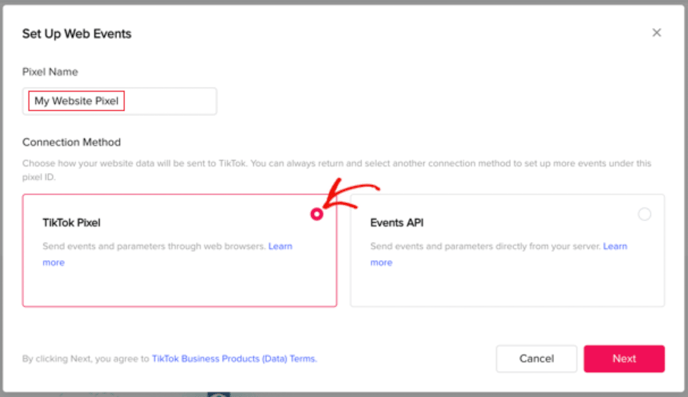
Give the pixel a name, such as the name of your website. Select TikTok Pixel as the connection method, then click Next.
-
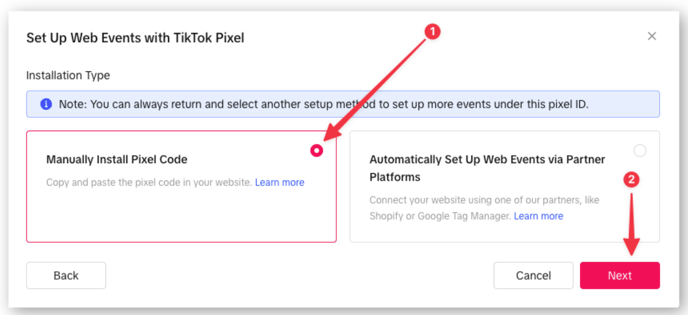
Choose Manually Install Pixel Code, then click Next.
-
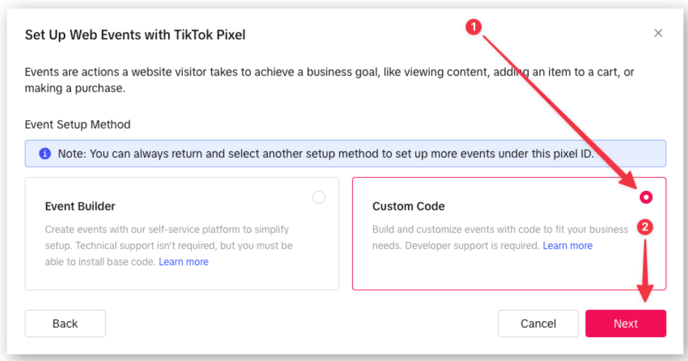
Choose Custom Code as the event setup mode, then click Next.
-
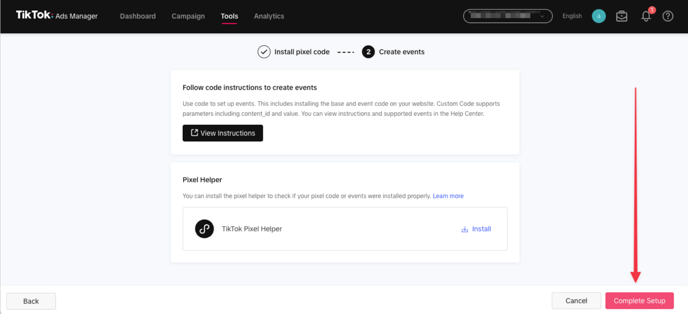
On the next screens, click Next, then Complete Setup.