Change which categories an item appears under on your menu. Owners and managers can do this.
Steps
-
Go to Menu and then Items.
-
Select the item whose category you want to change.
-
In the Info section, scroll down to Category.
-
Click the dropdown and select the categories you want the item to appear under.
-
Click Save.
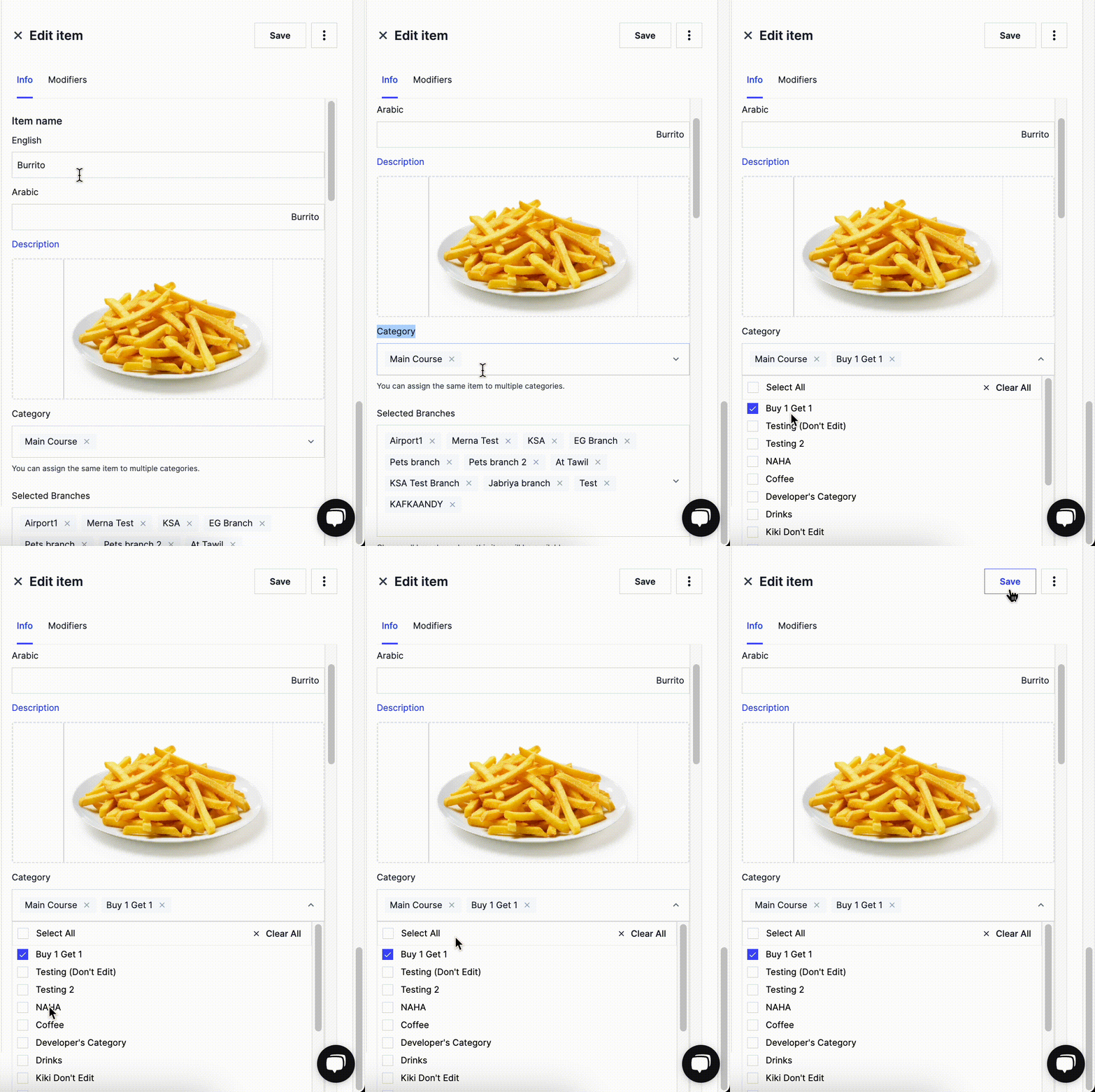
One item can appear in more than one category.