Upload your whole menu from an Excel sheet instead of adding items one by one. Only owners can do this.
Before you start
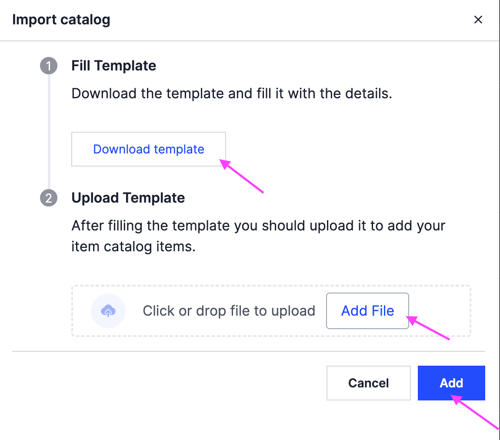
Fill in the Zyda template first. Click Download Template on the import screen to get it, and follow the instructions for filling it in. Importing a sheet that does not follow the template will not work.
Steps
-
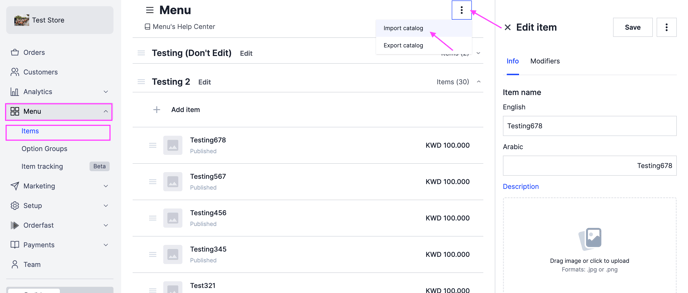
Go to Menu.
-
At the top right, click the options icon.
-
Click Import Catalog, the first option.
-
Click Add File and select your filled Excel file.
-
Click Add.
The import can take a few minutes, or up to a full day, depending on how many items you upload.
If your products do not appear on the Zyda dashboard after a long delay, contact the support team.