Copy a direct voucher link. When you share it with customers, the voucher is applied to their order automatically when they open the link. Owners and managers can do this.
Steps
-
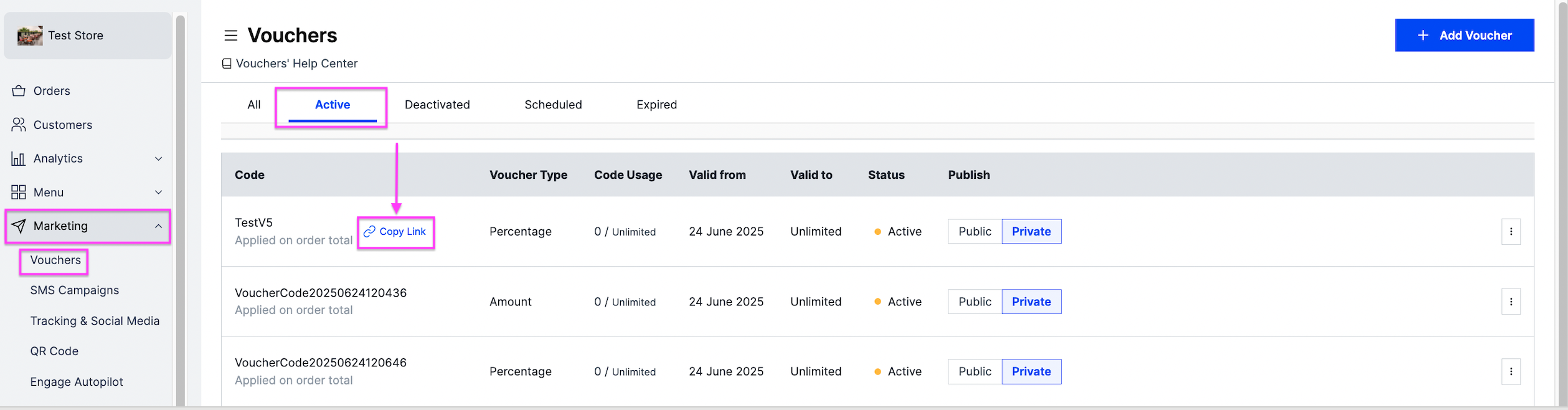
Go to Marketing and then Vouchers.
-
Click Copy Link next to the voucher code.
-
Send the copied link to your customers.