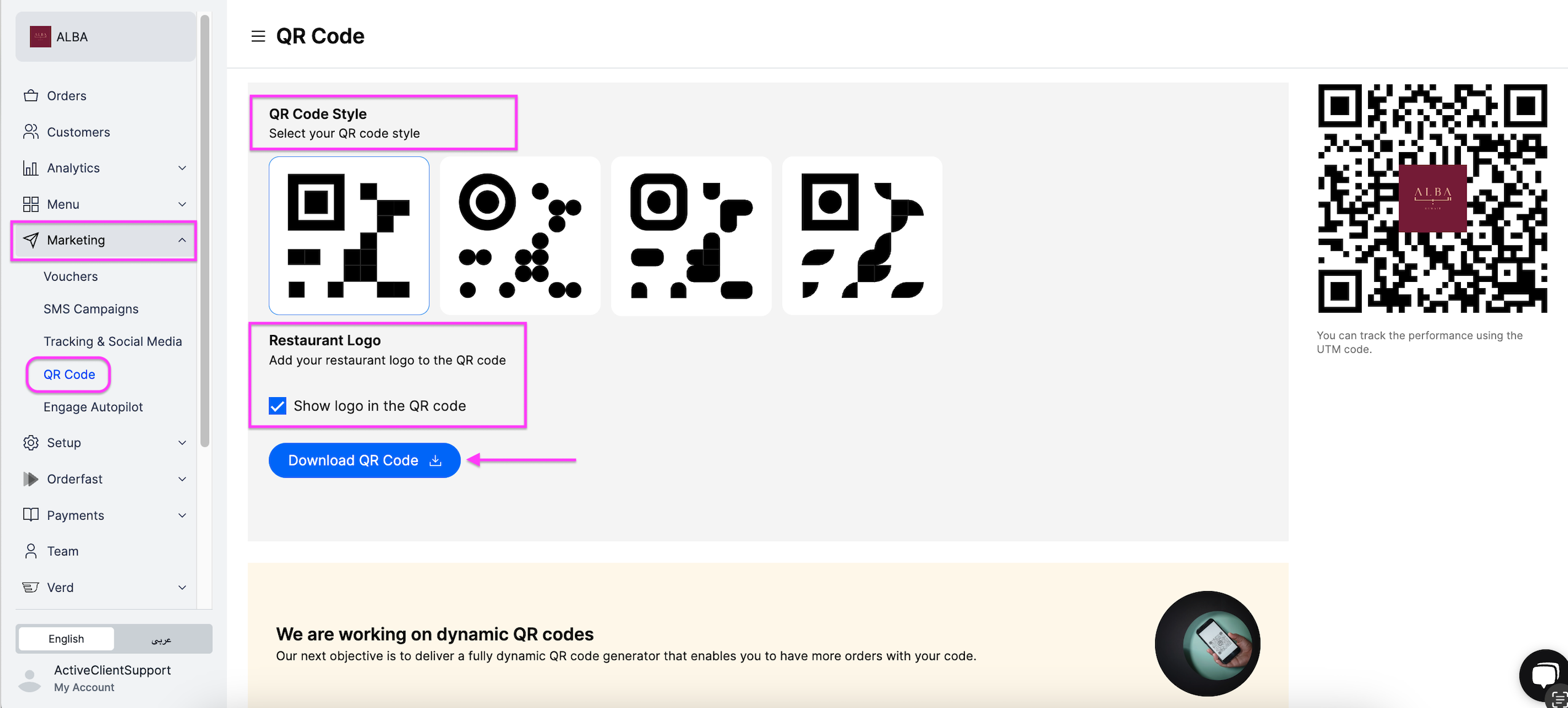
Make a QR code that customers scan to open your website, see the menu and place an order. Owners and managers can do this.
Steps
-
Go to Marketing.
-
Click QR Code.
-
Select your QR Code Style.
-
Tick Add your restaurant logo to the QR code if you want your logo on the code.
-
Click Download QR Code.