Choose how the dashboard tells you a new order has arrived. Owners, managers and operators can do this.
Steps
-
Go to the Orders tab.
-
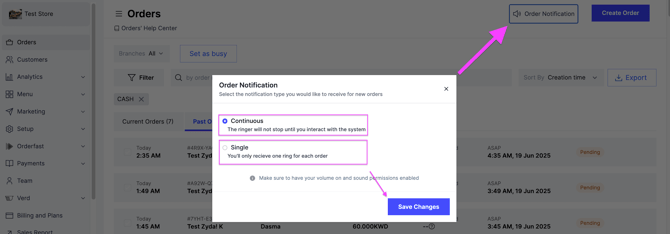
At the top right, click Order Notification.
-
Choose the sound option you want:
- Continuous — the sound keeps ringing until you act on the order.
- Single — the sound plays once when the order arrives.
-
Click Save Changes.
Make sure your browser is not muted. You will not hear the sound if it is.