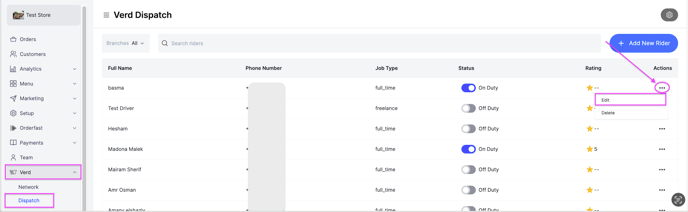
Change the details of a rider you have already added. Owners and managers can do this.
Steps
-
Go to Verd.
-
Next to the rider, click the options icon, then click Edit.
-
Change any of these:
- Name
- Phone number
- Preferred language — the language the rider's messages are sent in, English or Arabic.
- Job type — full time, part time or freelancer.
- Branch — the branch the rider collects orders from.
-
Click Save Changes.