Change a voucher after it has been created. Owners and managers can do this.
Before you start
Some fields cannot be changed once the voucher is created or activated.
Steps
-
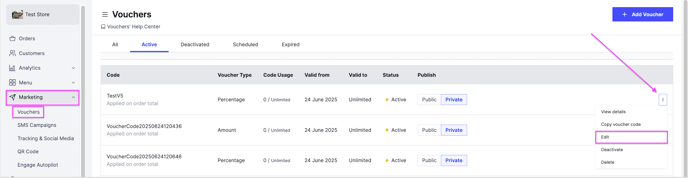
Go to Marketing and then Vouchers.
-
Click the options icon of the voucher you want to edit.
-
Click Edit.
What you can change
- Description
- Minimum requirements
- Usage limits
- End date
- Start date, only while the voucher is still scheduled and not activated yet
What you cannot change
- Discount code
- Start date, on a voucher that is already activated