Remove an item from your menu for good. Owners and managers can do this.
If your store is integrated with Foodics, make menu changes in Foodics instead. Item names, prices, option groups and modifiers edited in Zyda will not reach your store.
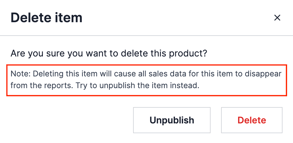
Deleting an item cannot be undone. All sales data for the item disappears from your reports.
Before you start
Consider unpublishing the item instead. Unpublishing hides the item from your website and keeps it in your menu for later.
Steps
-
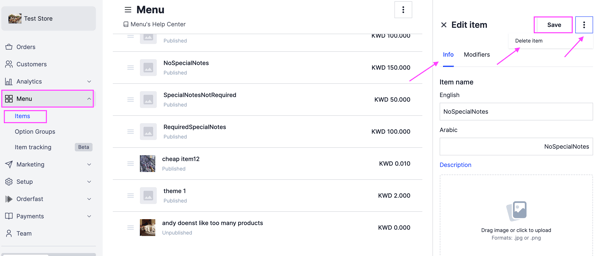
Go to Menu and select Items.
-
Choose the item you want to delete.
-
On the right side of the dashboard, click the options icon and select Delete Item.
-
Click Delete to confirm.