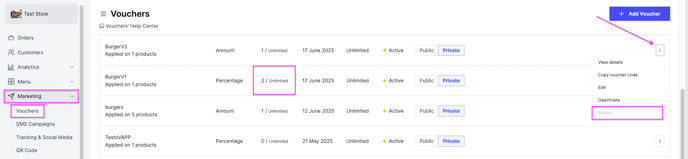
Delete a voucher after it has been created. Owners and managers can do this.
Before you start
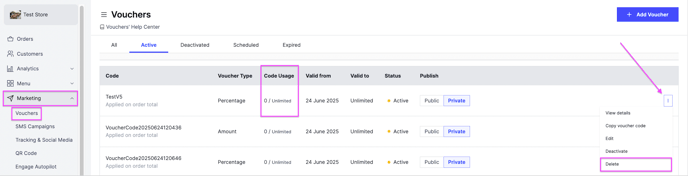
You can only delete a voucher that no customer has redeemed. If a customer has already used it, deactivate it instead to stop further use. See Activate or deactivate a voucher.
Steps
-
Go to Marketing and then Vouchers.
-
Click the options icon of the voucher you want to delete.
-
Click Delete.