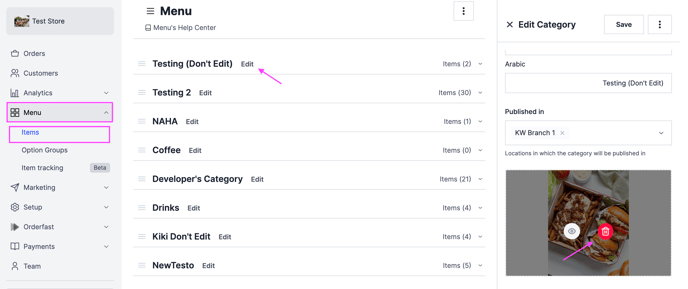
Remove the image on one of your menu categories. Owners and managers can do this.
Steps
-
Go to Menu and click Items.
-
Click Edit beside the category whose image you want to delete.
-
Click the delete icon, then click Delete to confirm.
-
Click Save.