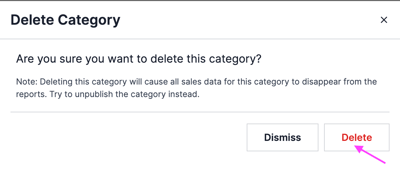
Remove a category from your menu. Owners and managers can do this.
Steps
-
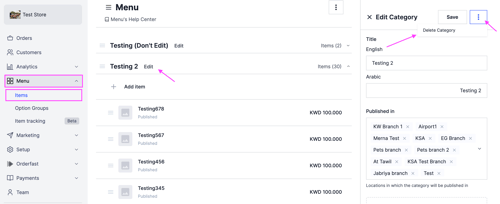
Go to Menu and select Items.
-
Click Edit next to the category you want to delete.
-
On the right side of the dashboard, click the options icon, then select Delete Category.
-
Click Delete to confirm.