Upload a sheet of phone numbers and send an SMS campaign to them. The numbers do not have to belong to customers who ordered through Zyda. Owners and managers can do this.
Before you start
- One credit sends one message.
- An English message of up to 160 letters costs 1 credit.
- An Arabic message of up to 70 letters costs 1 credit.
- Phone numbers must start with a plus sign and the international code. For example, +96512345678.
Steps
-
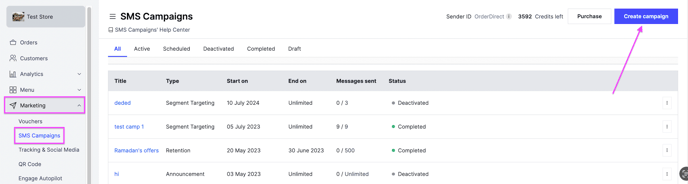
Go to Marketing and select SMS Campaigns.
-
At the top right, click Create Campaign.
-
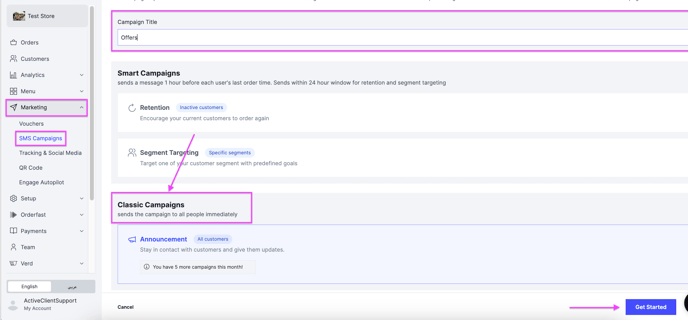
Write the Campaign Title, select Classic Campaign, then click Get Started. A classic campaign works by uploading the phone numbers of the customers you want to message.
-
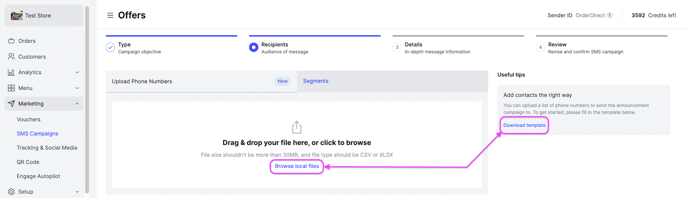
Click Download Template and follow its instructions to fill in the phone numbers.
-
Click Browse local files and upload the Excel file that holds the numbers.
-
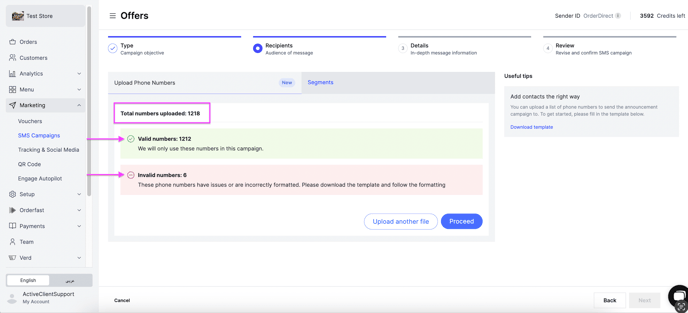
Read the check. The system reviews the sheet and tells you how many phone numbers are valid and how many are invalid. Click Upload another file to fix or replace the invalid numbers, or click Proceed to send to the valid numbers only.
-
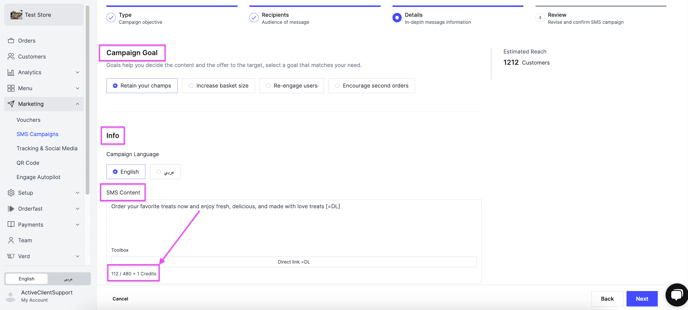
Click Next, then fill in the message. Pick a Campaign Goal that matches your purpose, which helps you decide the content: Offer Announcement, New Menu Item, Branch Opening, New Delivery Hours, New Delivery Area or Cashback Announcement. Under Info, select the Campaign Language, English or عربي, and write the SMS Content.
-
Click Next and review the summary:
- Target Segment — only when you selected a specific segment. Otherwise it reads N/A.
- Estimated Customer Reach — how many customers should get the message.
- Available SMS Credits — the credit you have to launch the campaign.
- Estimated SMS Credits — the number of messages that will be sent.
-
Click Launch Campaign.
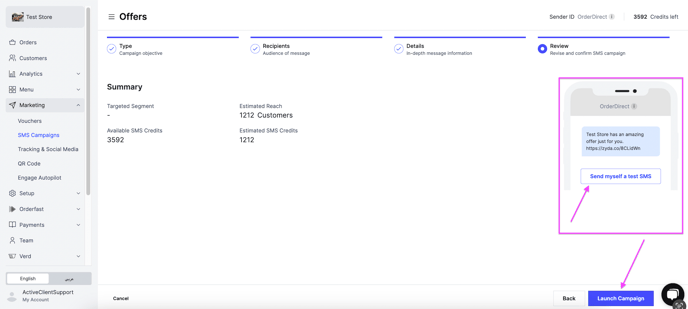
You can click Send myself a test SMS to test the message. The test is deducted from your available credit.