Place an order for a customer who ordered through WhatsApp, Instagram, a phone call, or any channel other than your website. Owners, managers and operators can do this.
Steps
-
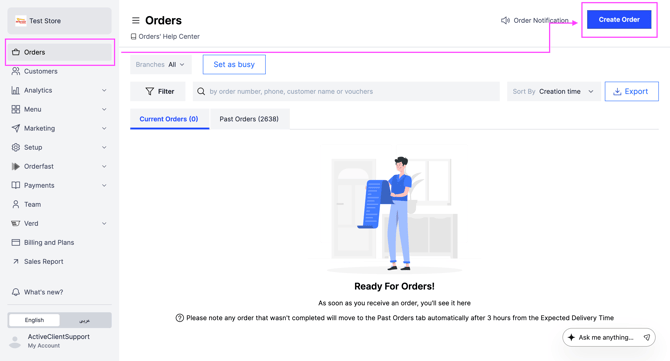
Go to Orders.
-
At the top right of the dashboard, click Create Order.
-
Enter the customer's phone number.
- For a returning customer, their information appears on its own. Confirm the details with them.
- For a new customer, add their information manually.
-
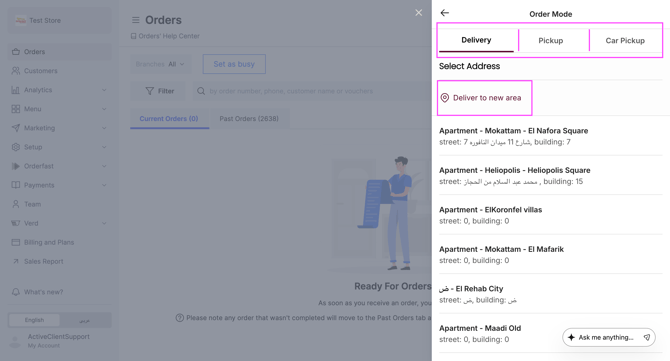
Select the order mode, such as delivery or pickup.
-
Choose the delivery address, or add a new one.
-
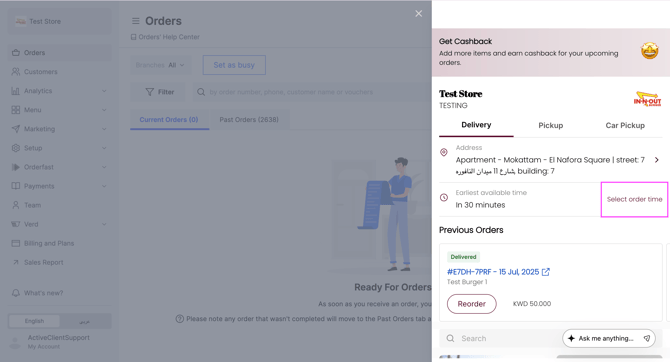
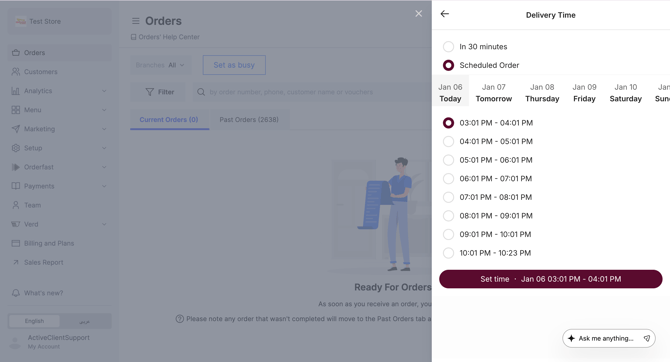
Select the delivery or pickup time the customer asked for.
-
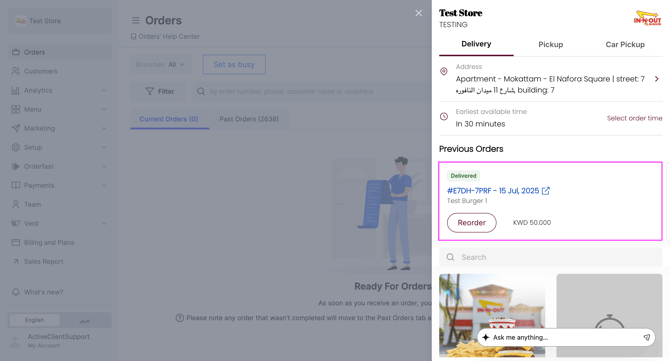
To reorder, open the customer's previous orders. Swipe left to see the rest.
-
Add the items the customer asked for to the cart.
-
Choose the payment method, cash or online payment.
-
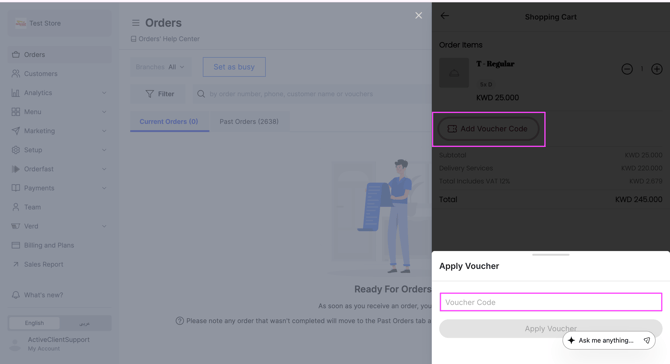
Add a voucher code to apply a discount, if the customer has one.
For an online payment order, a payment link is sent to the customer by SMS automatically.