Link your Zyda store to your Facebook and Instagram pages, so an Order Food button appears on them. Owners and managers can do this.
Before you start
- You must own the Facebook page and the Instagram page.
- You must have a Facebook Business Manager account with the Facebook and Instagram pages connected to it. Follow this Facebook guide if you have trouble.
- You must have Manager or Owner access on Zyda's dashboard.
- Your store's currency must be in the list of currencies Facebook supports.
Steps
- Go to your Meta Business account at business.facebook.com.
- Click All tools. A side page opens.
- Scroll down and click Business App under Manage.
- On the Business App page, click More.
- Click Food Ordering under More.
- Choose Zyda, then click Connect, then Continue.
- On the page that opens, click Follow link.
- Zyda's dashboard opens. Select the store you want to connect the Order Food button to.
- You are sent back to your Meta Business account. Click Continue, then Continue again, to confirm the link.
- Wait until Connecting your assets to Zyda finishes.
- Click Done.
What changes
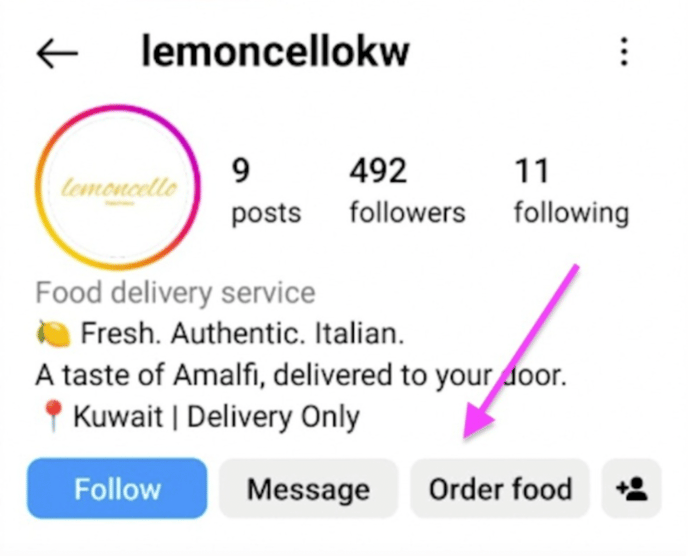
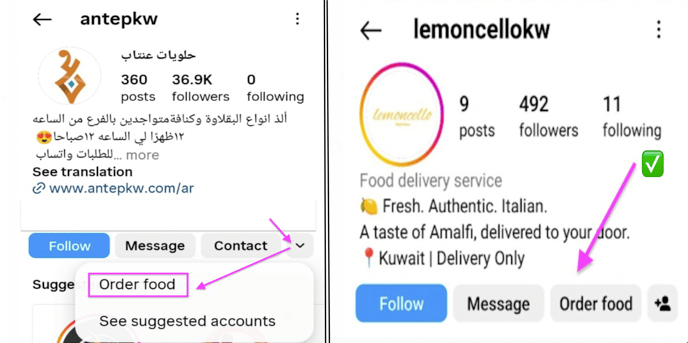
An Order Food button appears on your Instagram and Facebook pages. Customers click it to visit your website and order.
Why use it
- Customers reach your website and order in one click.
- The experience is smooth, which encourages customers to order again.
- The order goes through your own brand, not a third-party app, which builds loyalty and strengthens your online presence.