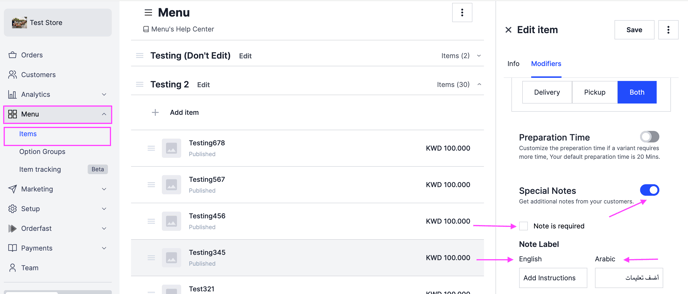
Let customers write their own message or request whenever they check out with an item. Owners and managers can do this.
Steps
-
Go to Menu and click Items.
-
Select the item you want to add a note to.
-
In the Modifiers section, scroll down to Special Notes.
-
Turn on Special Notes.
-
To make the note required, tick the box next to Note is required.
-
Write the note label in English and in Arabic. The label tells the customer what to write.