Add your rider to the Zyda dashboard so you can assign orders to them. The rider gets all the order details on WhatsApp. Owners, managers and operators can do this.
Steps
-
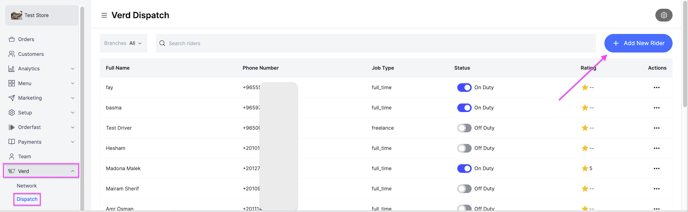
Go to Verd and click Add New Rider at the top right.
-
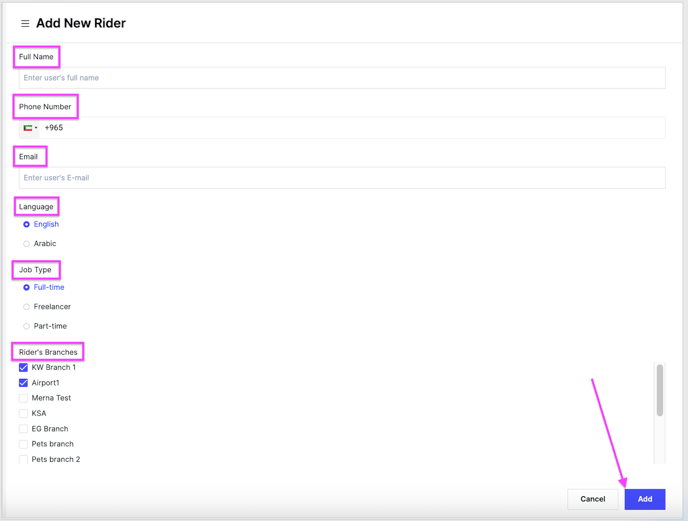
Fill in the rider details:
- Name
- Phone number, the WhatsApp number
- Preferred language, English or Arabic
- Job type, full time, freelancer or part time
- Branch, the branch you want the rider to deliver your orders from
-
Click Add. The rider gets a WhatsApp message and can start accepting the orders you assign to them.
Read more about Verd Dispatch and about how the driver receives the orders.