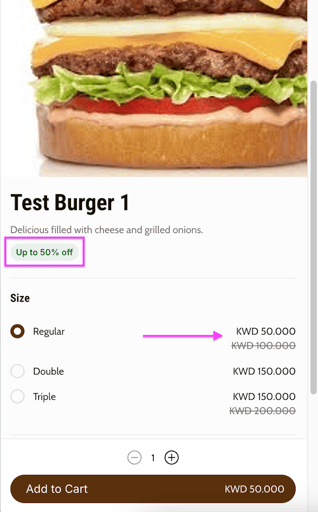
Set a discounted price on an item. Owners and managers can do this.
The website shows the original price crossed out, the discounted price, and the discount percentage.
If your store is integrated with Foodics, make menu changes in Foodics instead. Item names, prices, option groups and modifiers edited in Zyda will not reach your store.
Steps
-
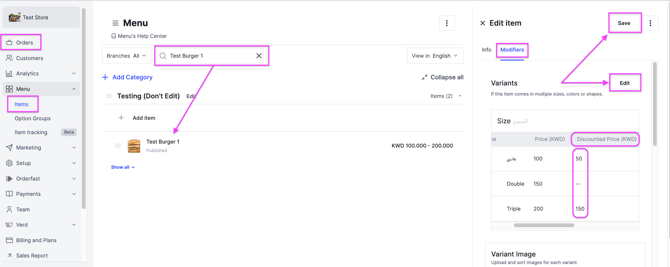
Go to Menu and select Items.
-
Search for the item you want to discount and select it.
-
In the Modifiers section, click Edit.
-
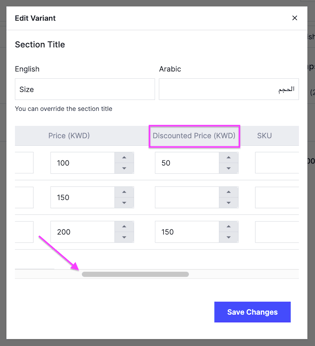
Scroll to the left and enter the new price under Discounted Price for the variant.
-
Click Save Changes.