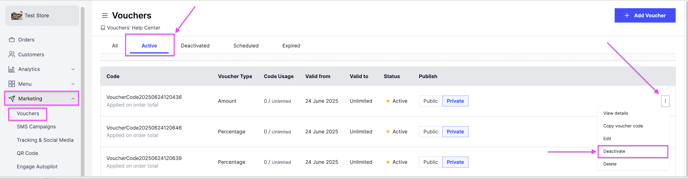
Turn a voucher that was deactivated or expired back on so customers can use it again, or turn an active voucher off at any time. Owners and managers can do this.
Steps
-
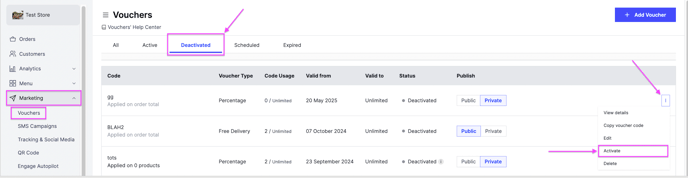
Go to Marketing, then Vouchers.
-
Click the options icon next to the voucher.
-
Click Activate to turn the voucher on, or Deactivate to turn it off.