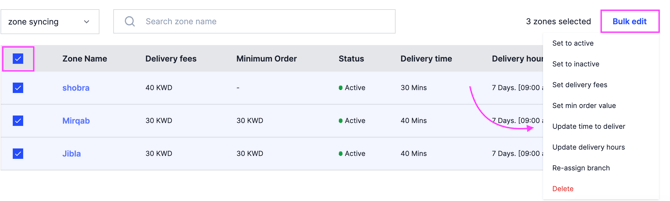
Change many delivery zones at once instead of one at a time. Owners and managers can do this.
Steps
-
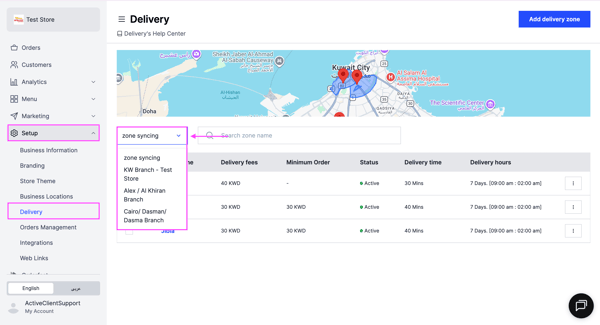
Go to Setup and choose Delivery.
-
Choose the branch.
-
Select the checkbox next to Zone Name to choose every zone, or tick the zones you want.
-
Click Bulk Edit and choose the action to apply:
- Set to active
- Set to inactive
- Set delivery fees
- Set minimum order value
- Update delivery time
- Update delivery hours
- Reassign branch
- Delete