Delete a user you added to the dashboard. Only owners can do this.
Steps
-
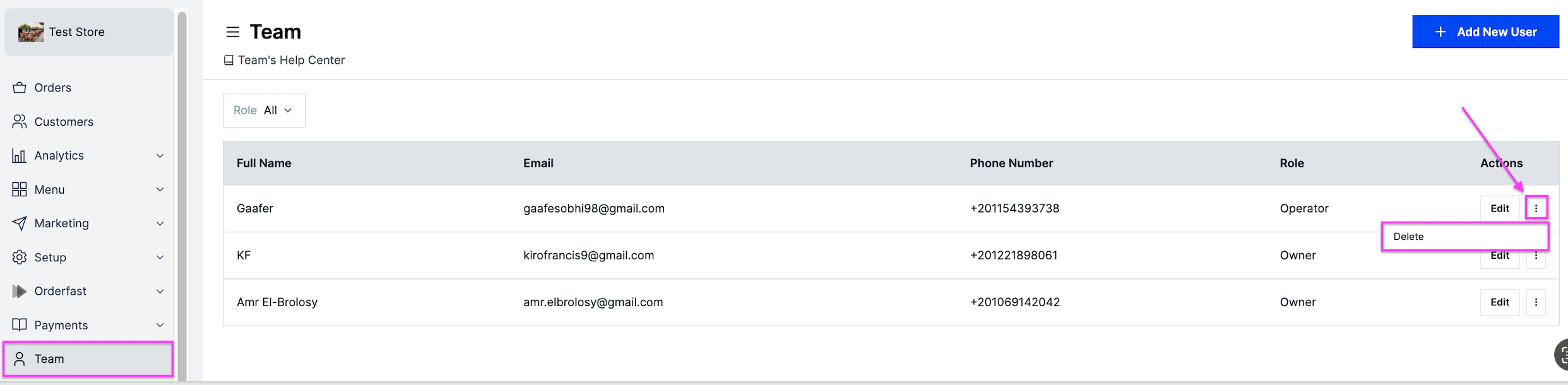
Go to Team.
-
Click the options icon next to Edit.
-
Select Delete, then confirm.
Delete a user you added to the dashboard. Only owners can do this.
Go to Team.
Click the options icon next to Edit.
Select Delete, then confirm.