Track how your business performs over a day, a week or a month. Owners and managers can do this.
Steps
-
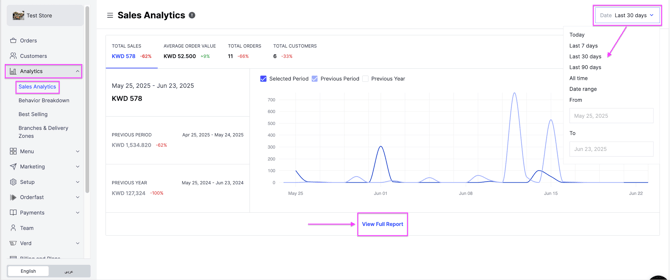
Go to the Analytics tab, then select Sales Analytics.
-
Use the date filter at the top right to choose the period you want.
-
Read the figures for that period: Total Sales, Average Order Value, Total Orders and Total Customers.
-
Click View Full Report for the detail, or click Export to export it.
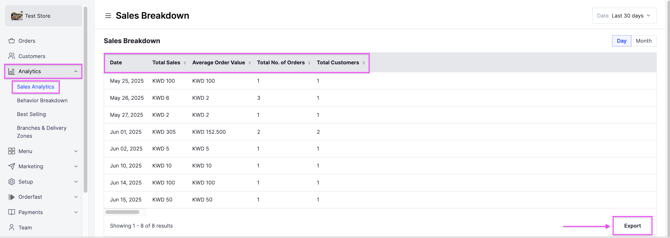
The exported report is sent to your registered email.