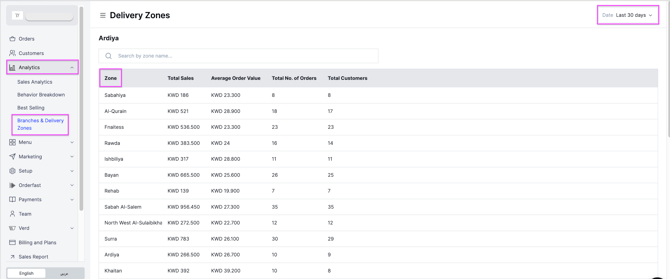
See which branches perform best and which delivery zones get the most orders, so you can run your operation on real data. Owners and managers can do this.
Steps
-
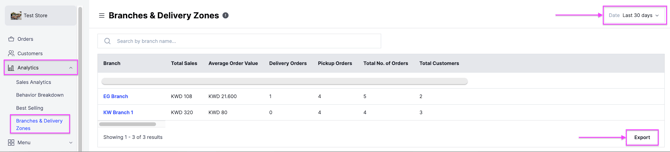
Go to Analytics and click Branches & Delivery Zones.
-
At the top right, select a time period.
-
Click Export to receive the full report by email.
What the report shows
- Total sales per branch or delivery zone
- Average order value
- Number of delivery orders
- Number of pickup orders
- Total orders
- Total customers
Click any branch to see its detailed performance. You can export a report for that branch to your email.