See which items and categories sell the most, so you can decide on real data. Owners and managers can do this.
Steps
-
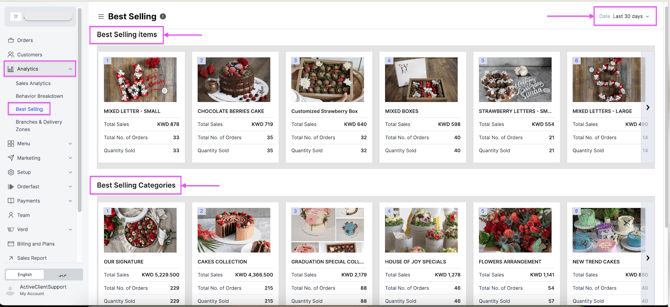
Go to Analytics and click Best Selling.
-
At the top right, select a time period.
-
Click View Full Report to see all the details, or click Export to receive the report by email.
What the report shows
- Best-Selling Items — total sales, total orders and quantity sold.
- Best-Selling Categories — total sales, total orders and quantity sold.