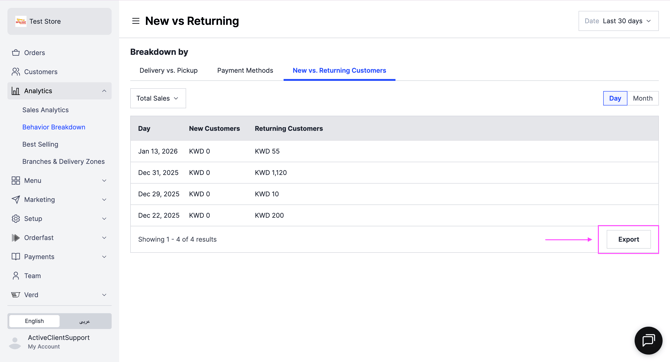
See how your customers interact with your store in the Behavior Breakdown report. Owners and managers can do this.
Steps
-
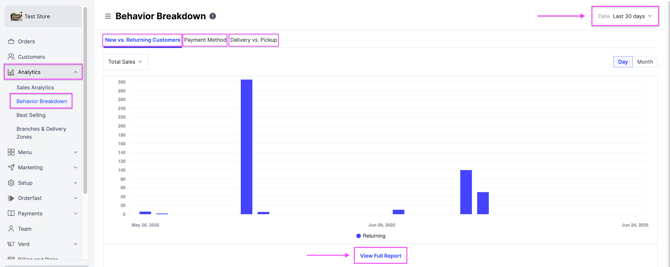
Go to Analytics and select Behavior Breakdown.
-
Choose a time period at the top right, then review:
- New vs. Returning Customers
- Payment Methods — cash, KNET, Apple Pay and credit card.
- Delivery vs. Pickup
-
Click View Full Report to see detailed insights, or click Export. An exported report is sent to your registered email.