Set the time an order needs to be delivered in a zone. Owners and managers can do this.
Before you start
- Delivery time is the time the order needs to be delivered. It is not the delivery hours.
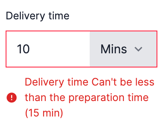
- The delivery time includes the preparation time, so it must be more than the preparation time.
Steps
-
Go to Setup and choose Delivery.
-
Select the zone you want to edit and click the options icon.
-
Click Edit.
-
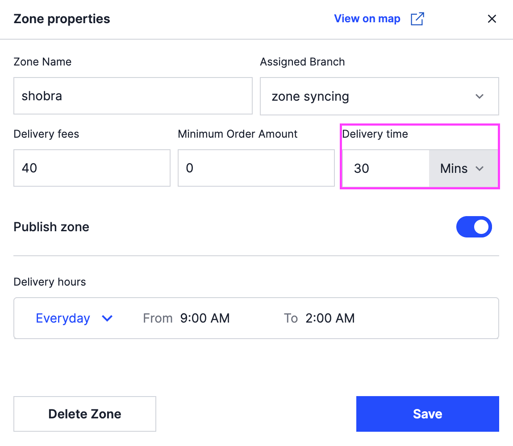
Under Delivery Time, set the estimated delivery time in minutes or hours.
-
Click Save.
To change many zones at once, use a bulk edit.