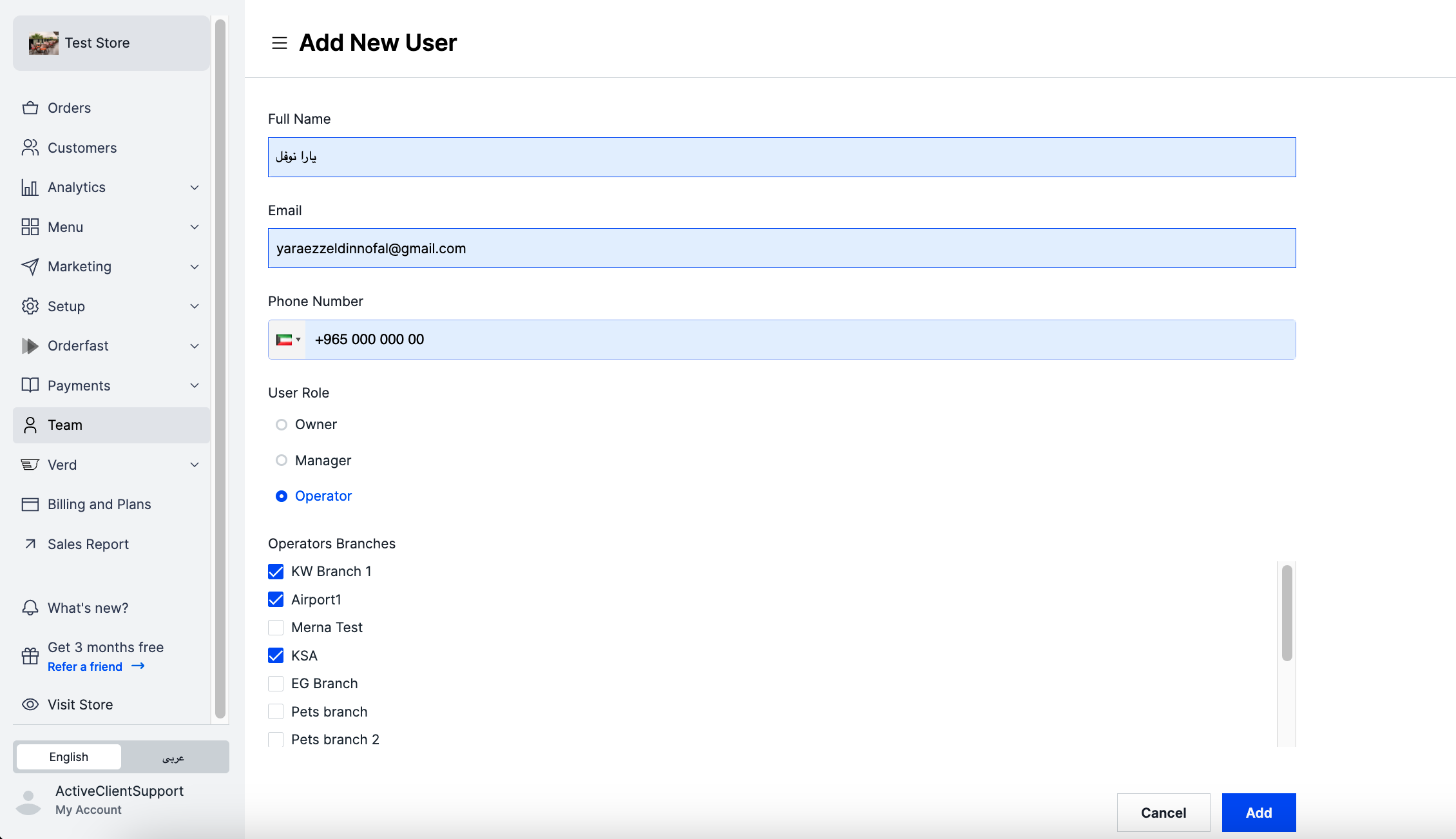
Add a user to your store's dashboard and give them access to view data or make edits, depending on their role. Only owners can do this.
User roles
- Owner — full access to everything. Can view and edit all parts of the dashboard.
- Manager — access to almost everything, except the Team and Payments tabs.
- Operator — limited access. Can only view and manage Orders, Verd, and some Menu edits.
Steps
-
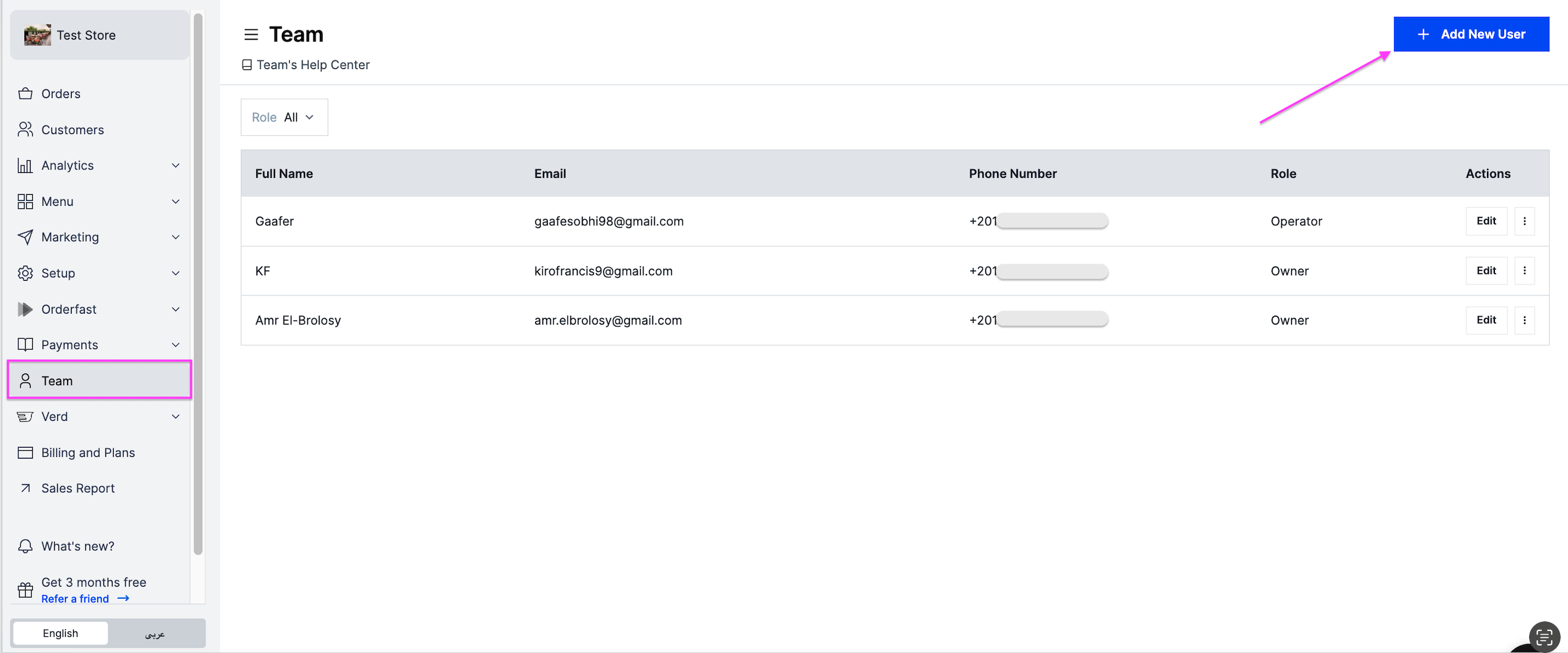
Go to Team.
-
At the top right, click Add New User.
-
Fill in the details:
- Full Name
- Phone Number
- User Role — owner, manager or operator. When you choose operator, you can also choose which branches they can access. That lets an operator manage orders for those branches only.
-
Click Add.