Add a footer line that appears on your website. Owners and managers can do this.

Steps
-
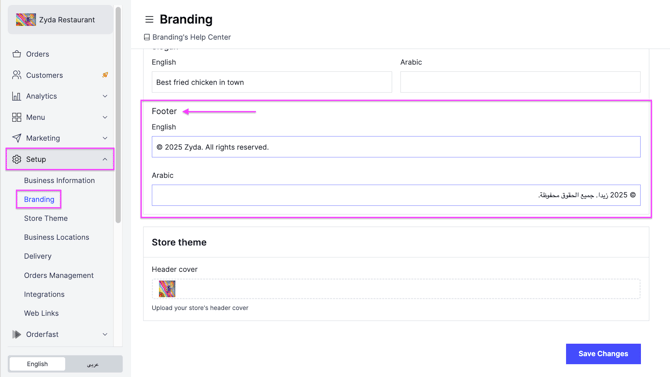
Go to Setup.
-
Click Branding.
-
Scroll down to Footer and write your footer line in English and in Arabic.
-
Click Save Changes.
Add a footer line that appears on your website. Owners and managers can do this.
Go to Setup.
Click Branding.
Scroll down to Footer and write your footer line in English and in Arabic.
Click Save Changes.