Edit the details of a user you have added to the dashboard. Only owners can do this.
Steps
-
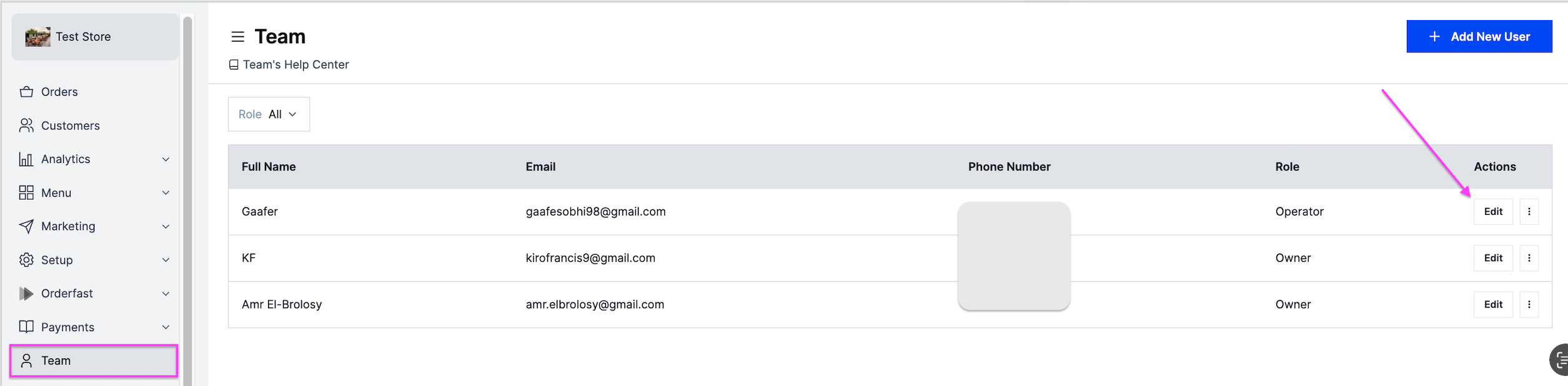
Go to Team.
-
Next to the user's name, click Edit.
-
Make the changes you need.
-
Click Save Changes.
Edit the details of a user you have added to the dashboard. Only owners can do this.
Go to Team.
Next to the user's name, click Edit.
Make the changes you need.
Click Save Changes.